Brand Guides as Operating Systems, Not Souvenirs: How to Ship Brand Kits That Teams Actually Use
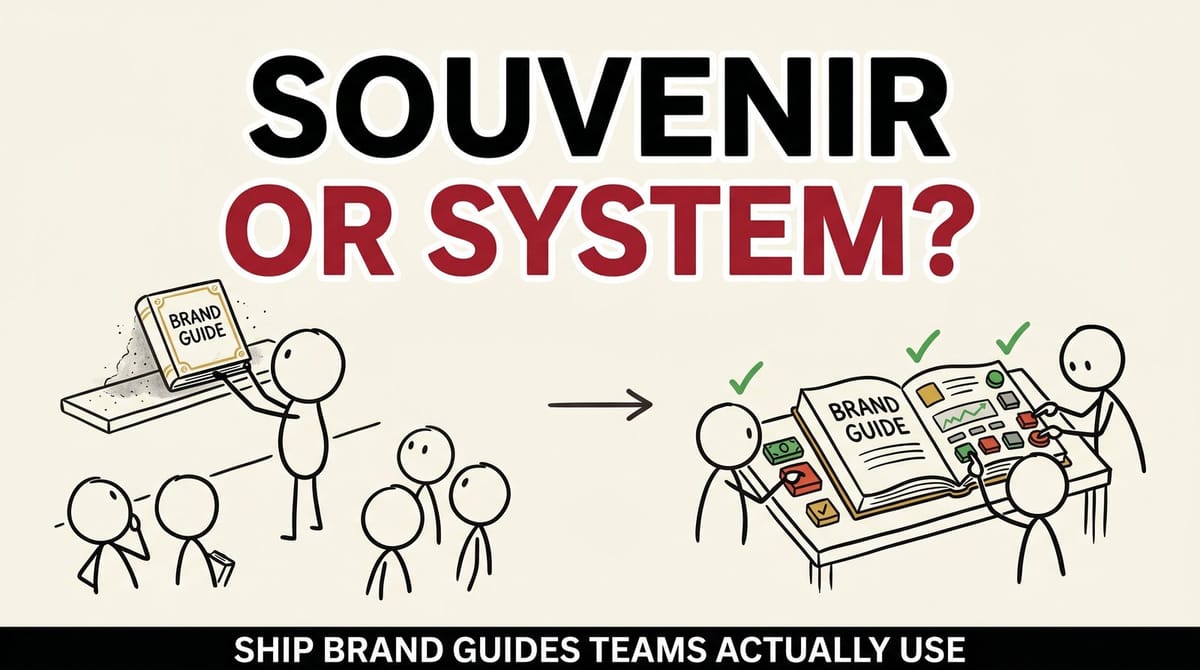
At the start of a website project we ask for whatever brand material the client already has. Often there isn't a brand guide at all. When there is one, it's usually out of date or was never fully built out: a logo page, a color palette, maybe a font name. Then the sales deck arrives in a slightly different blue, with the logo squashed to fit a header and body text in whatever font Office defaulted to the year the deck was made.
Nobody did that to annoy the designer. Most guides are made to be handed over at the end of a rebrand, not to be used. Even a good one gives the person building a quote cover at 4:45 on a Friday almost nothing to work with.
I find it useful to think of a brand guide as an operating system: something people run their daily work on, with sensible defaults, an admin, version numbers and release notes. The alternative is a souvenir, a nice object that proves a rebrand happened.
00The problem
Why the PDF stops working
You can usually spot a souvenir guide in a minute. It's a single PDF in a shared drive folder with a name like Final_v3. It describes the brand in adjectives. Nobody owns it, so questions go to whoever was around for the rebrand, if they still work there.
When people drift from a guide like that, it's tempting to call it a discipline problem. I think it's usually a format problem. If the on-brand one-pager takes twenty minutes longer to make than the off-brand one, the off-brand one goes out, because the quote is due at five. A sterner memo won't change that math. Making the right file the easiest file to grab will.
01Rules
Write rules someone can check
"Bold, approachable and innovative" describes a brand. It won't help anyone choose between two logo files.
A decision rule answers a question someone will actually ask, and two people reading it should reach the same answer:
- Logo
- Full-color logo on white or light gray. On photos or dark backgrounds, use the white version. Never on a busy image.
- Headlines
- Lead with the customer's outcome. "Parts that ship on time" beats "Advanced precision manufacturing."
- Slides
- One accent color per slide. If you count two, remove one.
- Color pairs
- List the text and background combinations that pass a contrast check, so nobody sets light gray text on a pale blue panel. Here's how contrast is measured.
Put a wrong example next to the right one wherever mistakes are common. If two people could disagree about whether a piece of work follows a rule, keep editing the rule.
Voice works the same way. A short table of "we say / we don't say" pairs does more than a paragraph about tone, and our brand voice worksheet is a reasonable place to start one.
02Templates
Template the work people make every week
The homepage gets reviewed by five people. The spec sheet a sales rep rebuilt on Thursday gets reviewed by nobody. High-volume work is made fastest and checked least, so that's where drift shows up first and where templates pay for themselves.
For a typical B2B company the list looks something like this:
- aSales deck, plus a one-slide case summary
- bProposal or quote cover
- cProduct or spec sheet
- dEmail signature
- eTwo or three social post layouts (not twenty)
- fTrade show banner and booth graphics
- gLetterhead and a plain document template
Build them in the tools people already use, and lean on each tool's guard rails:
- PowerPoint, Google Slides
- Put the logo, footer and colors on the slide master, where someone editing a slide won't nudge them by accident.
- Canva
- A Brand Kit keeps approved colors, fonts and logos in the editor's side panels, and you can lock the elements of a template that shouldn't move.
- Google Docs, Sheets, Slides
- Change the end of a template's link from
/editto/copy: whoever opens it is asked to make their own copy, and the master stays clean.
Components sit one level down: icon sets, chart and table styles, photo treatments, callout boxes. If your website runs on a design system or a Figma library, point the kit at those components rather than keeping a second copy that will drift. A Figma library also handles distribution: when you publish a change, files that use the library get a prompt to review and accept the update.
03Ownership
Give it an owner who can say no
The kit needs one named person and a backup. "Marketing" is a department, and departments don't answer questions.
The owner answers questions, approves exceptions, decides when a rule changes and keeps the files current. In a smaller company that's often the marketing manager. In a larger one it might be a brand lead with a contact in each department.
04Versions
Version it and keep a changelog
Brands change, and they should. The trouble starts when changes happen quietly and several versions of the truth end up in circulation.
Borrow the habit from software:
- Number it
- v1.0, v1.1, v2.0. Small fixes bump the second number; a new logo or tagline bumps the first.
- Keep a changelog at the top
- Date, what changed, why, and what people need to do about it.
- Archive, don't delete
- Move old versions to a folder labeled retired. Someone will need to know what the old trade show banner was supposed to look like.
A changelog entry can be this short:
v1.3MarchRetired the "Built Tough" tagline. Replace it in any deck or banner before the next show.
05Home
Put it in one place people already open
The kit should have one link that everyone knows. Where it lives depends on who uses it most:
Wherever it lives, make it the only copy. Pin the link in team chat and put it in every vendor brief. For the files themselves, here's how we suggest organizing a brand assets folder.
From our docs What goes in the guidelines themselves Our docs have a plain-English rundown of what practical brand guidelines include, from logo rules to who to ask. Read the guide06Launch
Rolling it out
Posting a link in the company channel ships the kit. Launching it means getting the people who make the most material to switch.
Sales
Sales produces a lot of brand material against deadlines. Run a 30-minute session, walk through the master deck and the quote template, then retire the old files. If the old deck is still in the shared drive, it will still get used.
Vendors and partners
Printers, distributors, trade show builders, freelancers, your web agency. Give each of them the same link, a short "start here" page and the owner's name, and add one line to every vendor brief: "All work follows the current brand kit at [link]."
New hires
The kit link goes into day-one onboarding, next to the instructions for setting up an email signature.
AI tools
If your team drafts copy with ChatGPT, Claude, Gemini or similar, add a plain-text file to the kit: voice rules, "we say / we don't say" pairs, approved product descriptions and banned phrases. These tools can read a PDF, but a short text file is easier to paste into a prompt or save as standing instructions in a project, and easier for the owner to keep accurate. Without it, the tool fills the gaps with its own idea of how a B2B company sounds.
07Upkeep
Review real work once a quarter
Quarterly is a sensible starting rhythm. The owner pulls a handful of recent, real work (a deck, a proposal, something a vendor made) and asks where it drifted and why.
Treat drift as data. If everyone breaks the same rule, the rule or the template is probably what needs fixing. Fix it, add a changelog entry, and announce it where people already talk: one message in team chat with the entry and the link.
08Checklist
The brand kit checklist
Use it to audit what you have or to scope what you need. Items marked Start here are the minimum for a small team.
25 items, 5 marked Start here.
0 of 25 done. Start here: 0 of 5
Ticks are saved in this browser only.
Rules
Templates and components
Ownership and versions
Home and rollout
Upkeep
09Scale
When this is overkill
A 15-person company with one marketer doesn't need all of this on day one. The five Start here items (a summary, logo rules, a master deck, a named owner and one link) get you most of the benefit. Add components, a docs site and formal versioning when the number of people touching the brand makes the simple version hard to manage.
There's also a limit to what a kit can do. If your team can't agree on who you serve and why they should pick you, templates will only make the confusion look consistent. That's a positioning problem, and it comes first. It's a big part of what my co-author and I wrote about in Made to Sell. For a shorter take, our docs explain positioning in plain English.
10Before you go
The one-question test
Can your newest sales rep build an on-brand one-pager without asking anyone? If yes, the kit is working. If not, the checklist shows you where to start.
If your guide is sitting in a drive somewhere and your team, vendors and website each tell a slightly different story, start a conversation with us at Chykalophia. We'll help you work out what your team needs to run on.
Start a conversationGet the next one by email
One practical fix every two weeks for owners of established B2B companies. Websites, conversions and operations, written plainly.

Peter Krzyzek
eter Krzyzek is co-founder and CTO of Chykalophia, the Chicago agency that builds strategy-led websites for established B2B companies, and co-author of Made to Sell.
Comments