Anatomy of an AI Scam: How I'm Fighting the Google Listing Voicemails (And How You Can, Too)
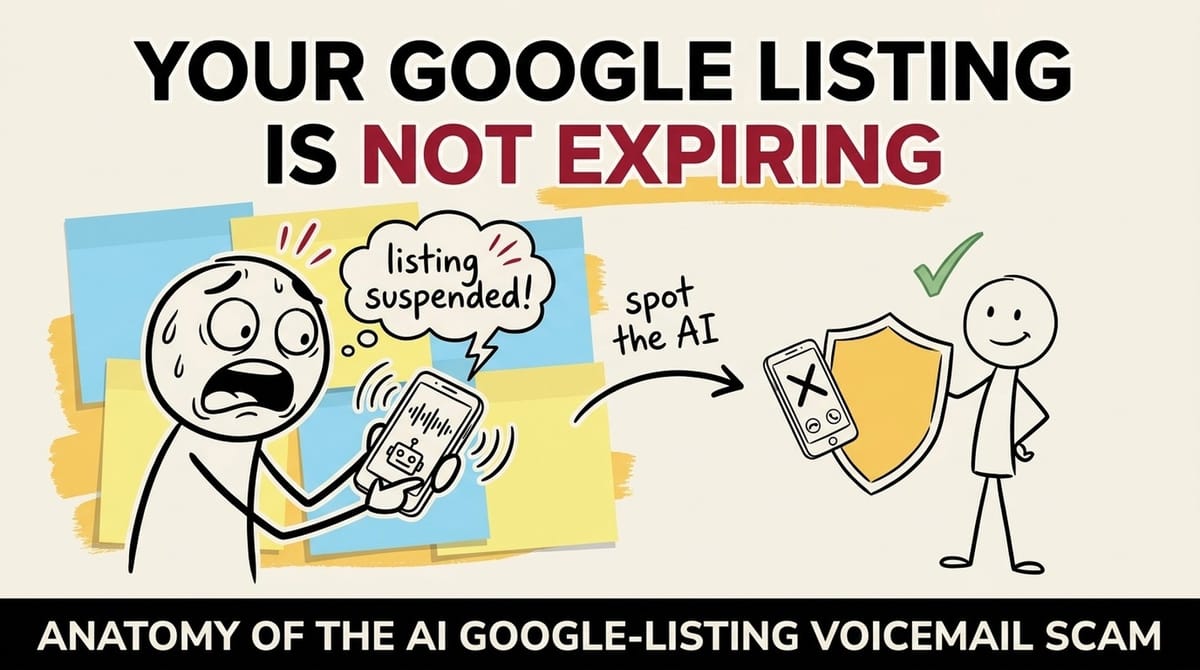
I've been in the tech world for a long time, and I've seen my fair share of scams. From phishing emails to elaborate social engineering schemes, you start to recognize the patterns. But lately, something has changed. A new wave of scams, supercharged by Artificial Intelligence, is hitting businesses with a level of sophistication and annoyance that's frankly infuriating.
One scam, in particular, has been flooding my own business lines and those of my clients: a ringless voicemail, delivered by a creepily realistic AI voice, warning that our Google Business Profiles are unverified and at risk.
Your phone doesn't ring. There's no chance to ignore the call. You just see a voicemail notification and, as a diligent business owner, you check it. That's when they have you.
This isn't just a nuisance; it's a direct attack on your time, your peace of mind, and potentially your wallet. In this article, I'm going to break down exactly how this scam works based on my analysis, how I've learned to identify it instantly, and most importantly, the exact methods I use to fight back, whether it's on my own complex VoIP system like Twilio, a client's third-party service, or just my personal mobile phone.
01Why now
AI-powered scams: how AI writes, voices and delivers these voicemails
The core problem with this new wave of attacks is the technology behind them. AI isn't just a buzzword; it's a powerful tool that has made it cheaper and easier than ever for bad actors to run scams at a massive scale.
From what I've seen, they use AI to:
- Write the scripts
- Crafting language that creates a high sense of urgency and fear.
- Generate the voice
- Using AI voice synthesizers that are becoming increasingly difficult to distinguish from a real person.
- Automate the delivery
- Ringless voicemail technology allows them to bypass the traditional call-blocking apps I use and deliver their message with near-perfect efficiency.
This isn't about a person in a call center dialing numbers. This is a machine attacking my business's communication lines, and yours. It's impersonal, relentless, and designed to prey on the anxieties of every business owner who relies on their online presence.
02How it works
Ringless voicemail: how the Google listing scam skips your ringer
After getting hit with these myself, I did a deep dive. Let's dissect this scam piece by piece based on what I've learned.
Ringless voicemail isn't new, but it has been weaponized by scammers. Instead of connecting through the traditional mobile network (the "switch"), which would make your phone ring, the technology allows a server to connect directly to your mobile carrier's voicemail server and deposit an audio file.
You get a notification that you have a new voicemail, completely bypassing the chance for you to screen or ignore an unknown number. It's an insidious exploitation of a system designed for our convenience.
03The scripts
The Google listing voicemail scripts, word for word
The scripts are designed to be short, alarming, and just vague enough to apply to any business. I've personally received these two common versions, and I've heard the same from my clients:
"... To speak with an agent immediately and verify your Google listings again, your business is not showing correctly on Google and Google voice search. Press 0 to speak to an agent. Press 9 to opt out, or call 877-556-9255. Thank you."
"Your business is not verified. Press one now so we can verify your business with Google. If you're the business owner, press one now. If your account is not verified, customers searching for your services on Google will not find your listing. Press one now to verify your listing. Press two to be removed from this list."
04Red flags
Is this call a scam? The red flags that give it away
This is where you move from being a target to being a defender. The good news is that once you know what to look for, these scams become obvious. Here are the concrete tells that immediately tip me off.
- The medium is the message
- The biggest red flag for me is the ringless voicemail itself. In all my years of experience, I know that Google's primary methods for official communication are email to the account holder or notifications inside the Google Business Profile dashboard. They do not use unsolicited, intrusive methods like this for critical account warnings.
- Google's actual process
- I manage several Google Business Profiles. The verification process is formal and is always initiated by me. This has been a postcard mailed to a physical address, a phone call/text that I requested, or a video verification. Crucially, Google has officially stated they do not make unsolicited automated calls threatening to remove your profile or demanding payment for your free listing. I trust their official process, not a random voicemail.
Linguistic "tells" of the AI: When I listen to the message, a few things stand out:
- Vague salutations
- The message never uses my name or my business's name. It's always a generic "business owner" or "your listing."
- False urgency
- The script always contains a threat (your business won't be found) and an urgent command (Press 1 NOW). The FTC warns that this creation of artificial pressure is a hallmark of nearly every scam.
- The opt-out trap
- Offering an opt-out (Press 9 or 2) is a classic robocall trick. It's not a courtesy; it's a tactic to confirm my number is active. I never press it, as it just tells them they've found a live one.
05Scam check
Scam check: test a voicemail against the red flags
Got one of these voicemails? Tick each red flag it shows. The two marked Biggest tell are the ones I rely on most.
6 red flags, 2 marked Biggest tell.
0 of 6 red flags ticked. Biggest tells: 0 of 2
Ticks are saved in this browser only.
How it reached you
What it says
What it wants
Whatever the count, the advice from the quick version holds: don't call back, don't press any keys, and block the number.
06Blacklist
Google listing scam phone numbers: the public blacklist
Knowledge is power, and I believe in sharing it. Here are the numbers I've personally blocked and have been reported by clients and colleagues. I recommend you block these immediately across all your systems.
+12767221530
+14782662058
+12125551234(Note: This is a classic "placeholder" number, but it was reported as being used.)
+13367293433(Note: started receiving from this one only after I blocked the earlier 3)
+17025556789(Note: I think this one was part of the demo code in Twillio, I left it in there 'just because')
+15058050139Added June 20th, 2025
+15012874459Added July 31st, 2025
+15186464310Added July 31st, 2025
+13863810191Added July 31st, 2025
+13604175402Added July 31st, 2025
+13863062662Added August 13th, 2025
(+1) 877-556-9255Added August 13th, 2025This is the number they ask you to call.
07Playbook
How to block the scam calls: verify first, then pick your setup
Now, let's get to my blocking strategy.
08Situation 1: Twilio
Block scam calls on Twilio with a call-blocker Function
For a programmable voice service like Twilio, the blocking lives in a small Function:
- 1. Create a Service
- In your Twilio Console, go to Functions and Assets > Services and create a new Service. Let's call it
call-blocker. - 2. Set up environment variables
- Inside your new service, go to Settings > Environment Variables. We need to add two:
BLOCKLIST: A comma-separated list of the phone numbers to block (e.g.,+12767221530,+14782662058).MY_PHONE_NUMBER: Your real phone number where you want to receive legitimate calls (e.g.,+12223334444). - 3. Create the Function
- Go to Functions and Assets > Functions inside your service and add a new Function. Let's name the path
/blocker. - 4. Add the code
- Replace the default code with this Node.js script. This code checks if the caller is on the blocklist. If so, it rejects the call. If not, it forwards the call to your real number.
exports.handler = function(context, event, callback) {
  // List all blocked phone numbers in quotes and E.164 formatting, separated by a comma
  let numberBlock = event.block || [ "+12767221530", "+14782662058", "+12125551234", "+13367293433", "+17025556789" ];

  // Setup some variable so we can do logic
  let twiml = new Twilio.twiml.VoiceResponse();
  let blocked = true;

  // Check if the number coming is is within the block lis
  if (numberBlock.length > 0) {
    if (numberBlock.indexOf(event.From) === -1) {
      blocked = false;
    }
  }

  // Thus if blocked, reject it
  if (blocked) {
    twiml.reject();
  } else {
    // Redirect to your existing TwiML bin if not blocked
    twiml.redirect("https://handler.twilio.com/twiml/EH889f06bdf3b0de05ad5db688118204c2");

    // OR USE THE FOLLOWING, NOT BOTH
    // Get my real phone number from the environment variables.
    // To simply redirect to your number, uncomment the two lines below
    // const myPhoneNumber = context.MY_PHONE_NUMBER;
    // twiml.dial(myPhoneNumber);
  }

  return callback(null, twiml);
};- 5. Deploy
- Click "Deploy All" to save and activate your function.
- 6. Configure your Twilio number
- Navigate to Phone Numbers > Active Numbers and click on the number you want to protect. Under the Voice & Fax section, configure "A CALL COMES IN" to use your new
call-blockerService,UI Editorenvironment, and/blockerfunction path. Save the configuration.
Now your Twilio number is protected. When you identify a new scam number, you just have to add it to your BLOCKLIST environment variable and redeploy.
09Situation 2: SaaS VoIP
Block scam calls on RingCentral, Dialpad, Ooma and other SaaS VoIP
For my clients using systems like RingCentral, Dialpad, or Ooma, the process is more straightforward. Here's what we do:
- 1We log in to the VoIP system's admin dashboard.
- 2We go straight to the "Call Logs," "Call History," or "Recent Calls" section.
- 3We find the scammer's number in the log.
- 4There's always an option next to the call record to "Block Number" or "Add to Blacklist." We click it, and we're done.
10Situation 3: Mobile
Block scam calls on iPhone and Android
For my own cell phone, it's a simple, reflexive action now.
On my iPhone
I open the Phone app, go to Voicemail. I tap the (i) info icon next to the scam number, scroll down, and tap Block this Caller. It takes five seconds.
On Android
The process is similar. Open the Phone app, go to call history, tap the number, and look for an option to Block or Report as Spam.
11Automation
Spam call blocking apps and carrier tools: the tech toolbox
Manual blocking is my first action, but proactive, automated tools are my long-term strategy. Here are the tools I've found to be most effective.
- For my mobile phone
- I've tested several apps, and my current recommendations are RoboKiller and Nomorobo. They use huge, constantly updated blocklists and clever call screening to stop these calls before they ever bother me.
- Carrier-level tools
- I also make sure to have the free tools from my mobile provider enabled. AT&T ActiveArmor, T-Mobile Scam Shield, and Verizon Call Filter are surprisingly effective and serve as a great first line of defense.
- For business VoIP
- When setting up a client's VoIP, I always check the provider's marketplace for integrations. Many systems can integrate with services like Nomorobo or Marchex Clean Call, and I've found these add a powerful, enterprise-grade layer of filtering.
12Limits
Spam blocking limits: the unfiltered truth on what to watch for
As we build our defenses, I think it's crucial to be realistic. Here are some hard truths I've learned from experience.
- There is no silver bullet
- No filter is 100% perfect. I still get the occasional one that slips through. Scammers are constantly cycling numbers ("spoofing"). Our best defense is a combination of good tools and personal vigilance.
- The human element
- The ultimate target isn't the technology; it's you or your employees. I've trained my team (and I advise all my clients) to never act on an unsolicited, urgent request over the phone without independent verification.
- Platform-specific quirks
- I've learned not to be confused by certain limitations. For example, on my iPhone, even if RoboKiller successfully blocks a call, iOS security policies may still cause it to appear in my "Recents" call log. This is expected behavior and doesn't mean the app failed.
- The risk of false positives
- I've also seen aggressive spam filters block legitimate calls. About once a month, I take 60 seconds to review the blocked calls log in my app to make sure a new client or important contact wasn't accidentally caught in the net.
13Business impact
What scam calls cost your business: why every second counts
As a business owner, I don't see these calls as a simple annoyance. I see them as a direct hit to my bottom line.
- Lost productivity
- Every minute I or an employee spends dealing with a scam voicemail is a minute we aren't being productive.
- Opportunity cost
- While a line is occupied or our focus is diverted, a real customer might be trying to reach us.
- Risk of reputation damage
- The biggest risk I see is the potential for catastrophic damage to a business's reputation if an employee is tricked into giving away information.
For me, fighting spam isn't just for peace of mind; it's a necessary business security function.
14Report
Report the scammers to the FTC and FCC: where to go and what to say
I make it my policy to not just block and delete, but to report. Every report is a piece of data that helps the authorities and carriers build better tools.
When I file, I keep it concise. I state the facts:
"Received an unsolicited, fraudulent ringless voicemail on [Date] from [+1-XXX-XXX-XXXX]. The automated message was a scam about my Google Business Listing."
15Conclusion
Staying ahead in the AI arms race: my four-rule strategy
This AI-powered scam is a perfect example of the new reality we face. The tools available to bad actors are more powerful than ever. But our tools for defense, and our ability to share information as a community, are powerful, too.
My personal strategy is simple:
- 1Be Skeptical: I question every unsolicited call, especially those that create pressure.
- 2Verify Independently: I never trust, I always verify through official channels I control.
- 3Block Aggressively: I use the tools at my disposal to build a strong defense.
- 4Report Everything: I make sure to be an active participant in the solution.
By working together, sharing information, and staying vigilant, we can make these scams unprofitable for the criminals who run them. Stay safe out there.
16Resources
Official resources from Google, the FTC and the FCC
Get the next one by email
One practical fix every two weeks for owners of established B2B companies. Websites, conversions and operations, written plainly.

Peter Krzyzek
eter Krzyzek is co-founder and CTO of Chykalophia, the Chicago agency that builds strategy-led websites for established B2B companies, and co-author of Made to Sell.


Comments