How To Find, Download & Install Flatsome 3 Theme & Flatsome 3 Child Theme
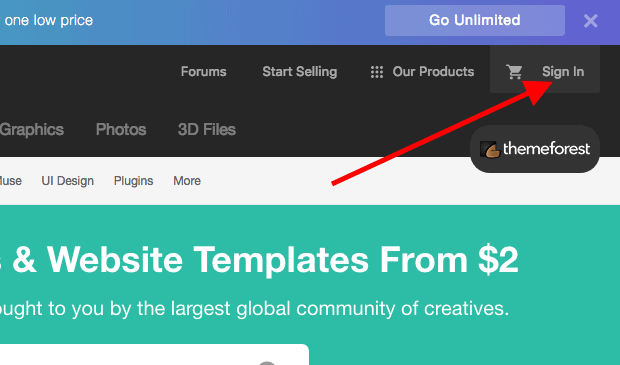
Installing WordPress themes is very easy, though getting the correct files (and finding them) from Envato's ThemeForest can be a bit confusing. So here's how to find, download & install the Flatsome 3 theme along with the Flatsome 3 Child theme. Originally I made a Youtube video, though it seems I rushed through the explanation just a little bit so here's the screenshot & text version. :D The Video Explanation: https://www.youtube.com/watch?v=2PqVWJqMGNI Text & Screenshot Walkthrough: 1. Once you get to themeforest.net go and login:
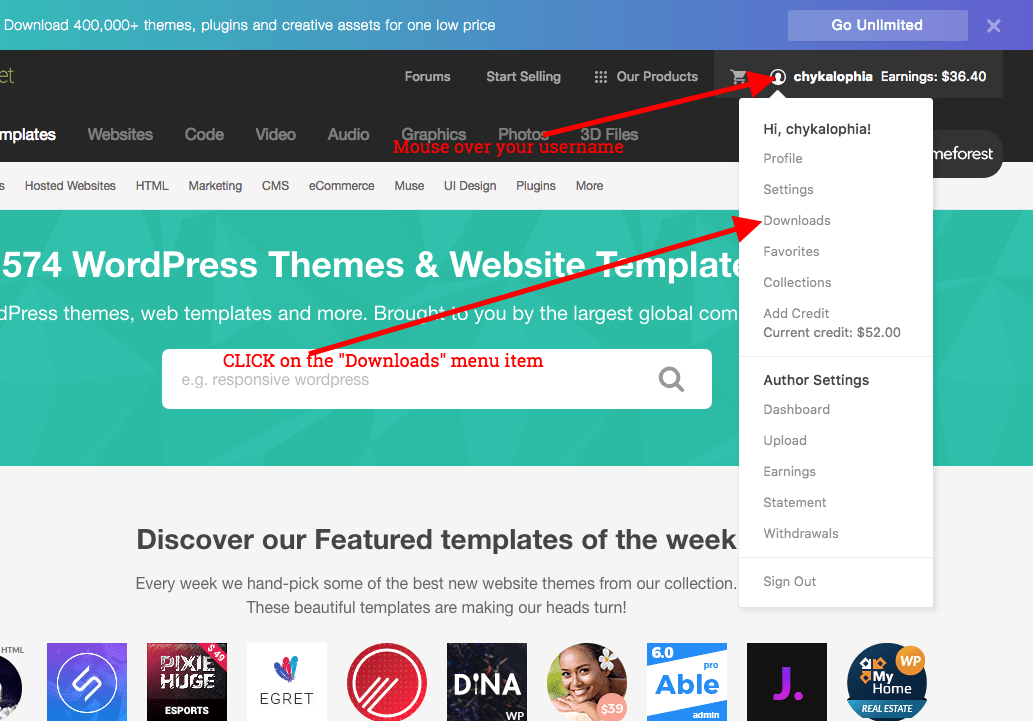
2. Once logged in mouse over your username and click the Downloads link:
3. Once on the downloads page find your copy of Flatsome. Click on the "Download" button and then click on the "All files & documentation" button.
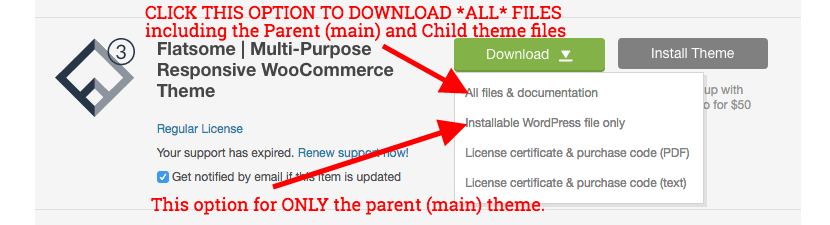
4. This will download the files we need for both the Flatsome main theme and the child theme. You'll get the file that looks something like "themeforest-5484319-flatsome-multipurpose-responsive-woocommerce-theme.zip".
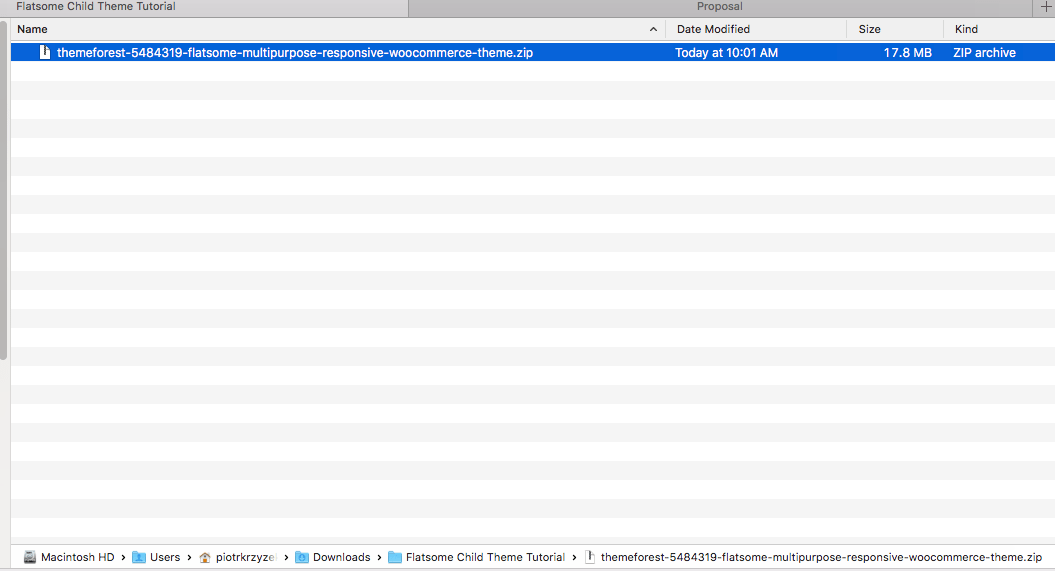
5. Extract it to get the "flatsome-main" folder:
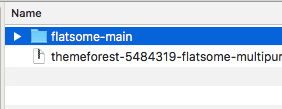
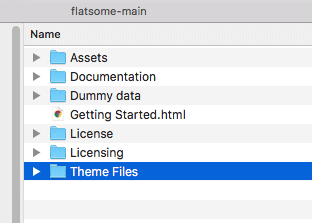
6. This folder has all the Flatsome stuff. Look for the "Theme Files" folder. That's where we need to be:
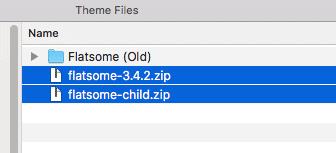
7. In here you'll find the two files you want to install. Install the main Flatsome zip file first! Install the "flatsome-child.zip" file second and only after "flatsome-<whatever-version-here>.zip".
Get the next one by email
One practical fix every two weeks for owners of established B2B companies. Websites, conversions and operations, written plainly.

Peter Krzyzek
eter Krzyzek is co-founder and CTO of Chykalophia, the Chicago agency that builds strategy-led websites for established B2B companies, and co-author of Made to Sell.

Comments